

ChatGPT
Connect the Two Minute Reports MCP Server to ChatGPT to analyze your marketing and business data through natural language. Ask questions, run comparisons, and generate visualizations, all without leaving ChatGPT.
Prerequisites
- A paid ChatGPT subscription (Plus or Team), required to add custom apps
- An active Two Minute Reports account. Sign up at twominutereports.com
Connecting the MCP Server
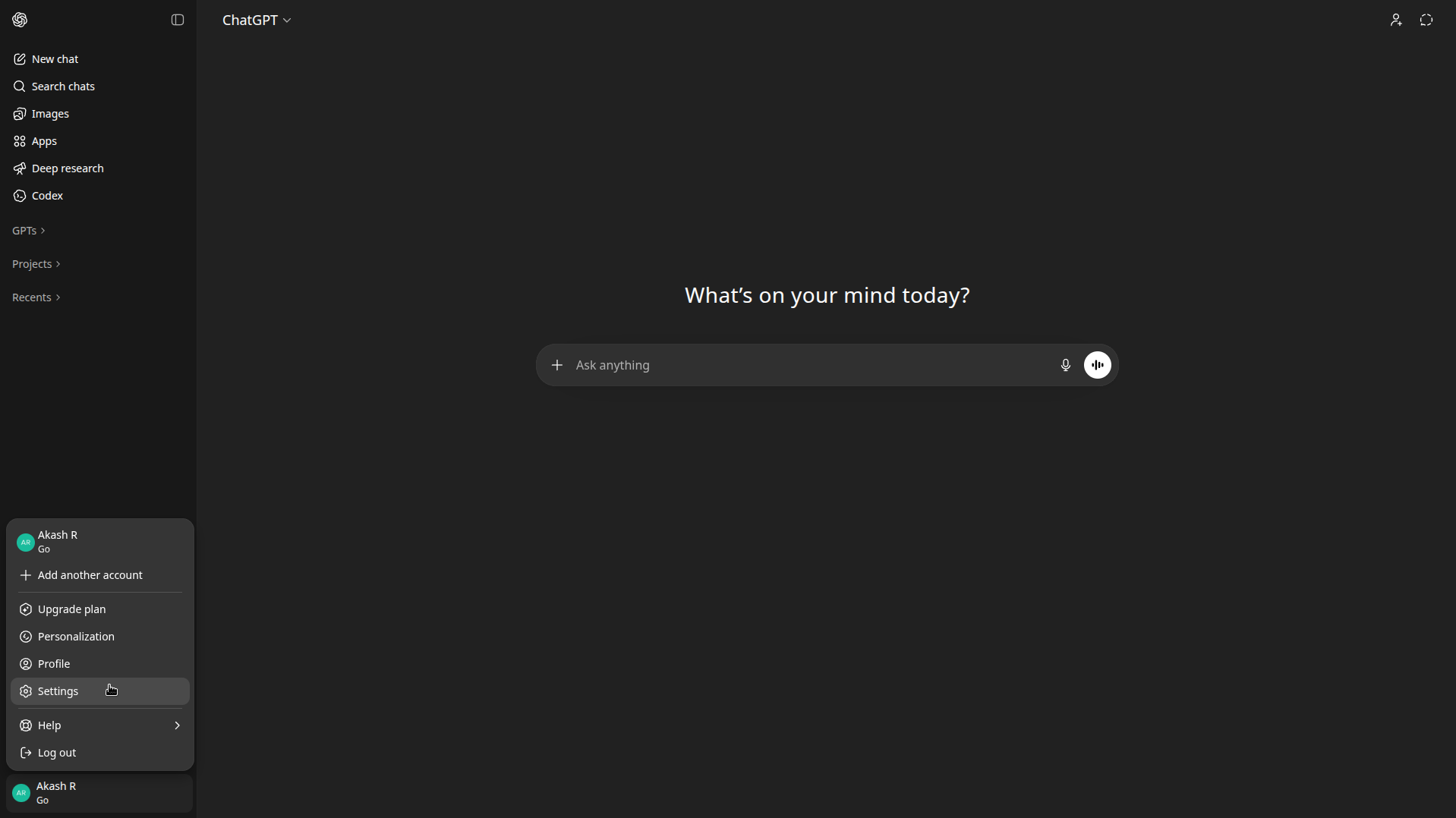
Open Settings
Open chatgpt.com in your browser. Click your profile icon in the bottom-left corner and open Settings.
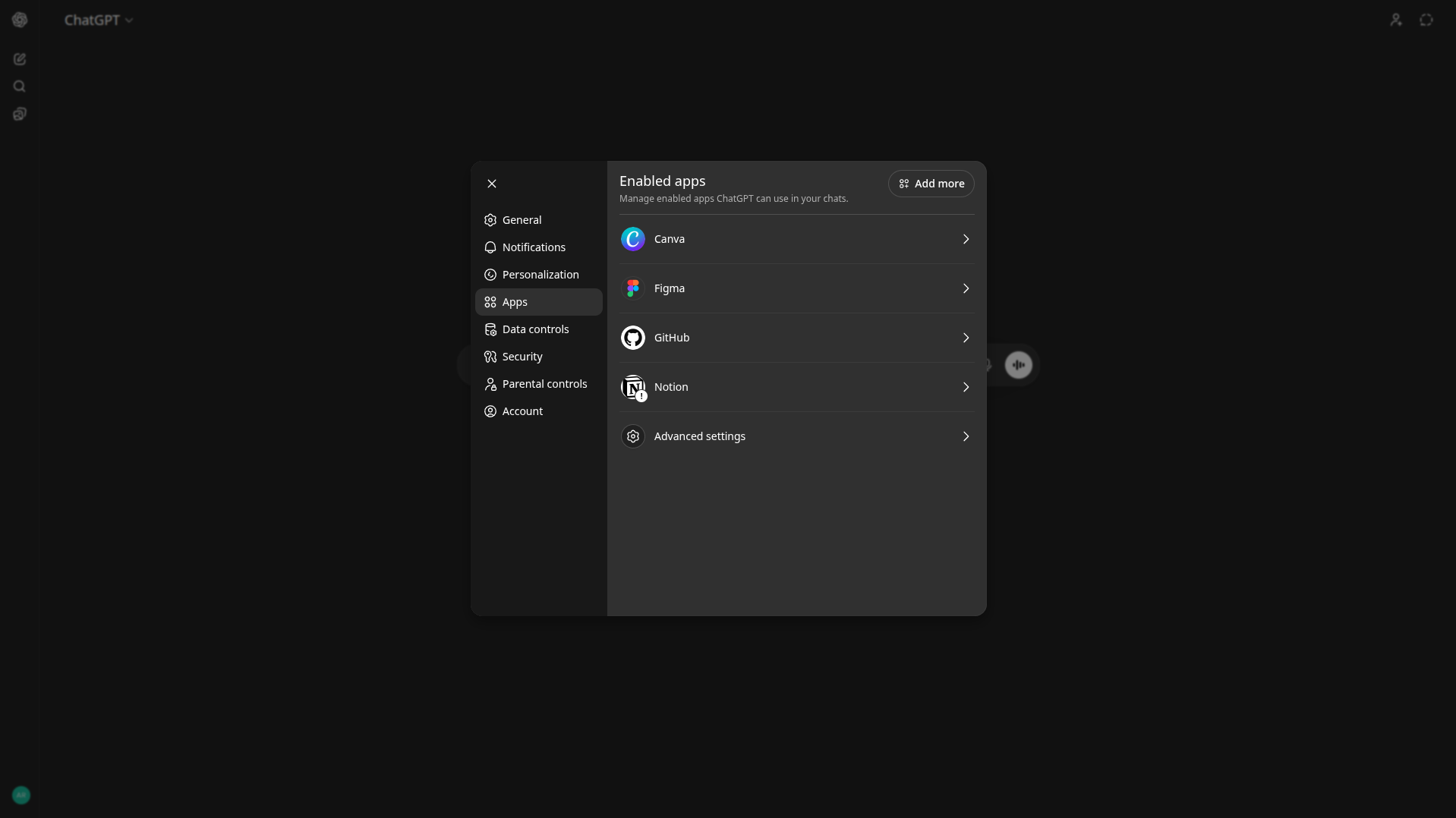
Go to Apps
Navigate to Apps and click Advanced settings.
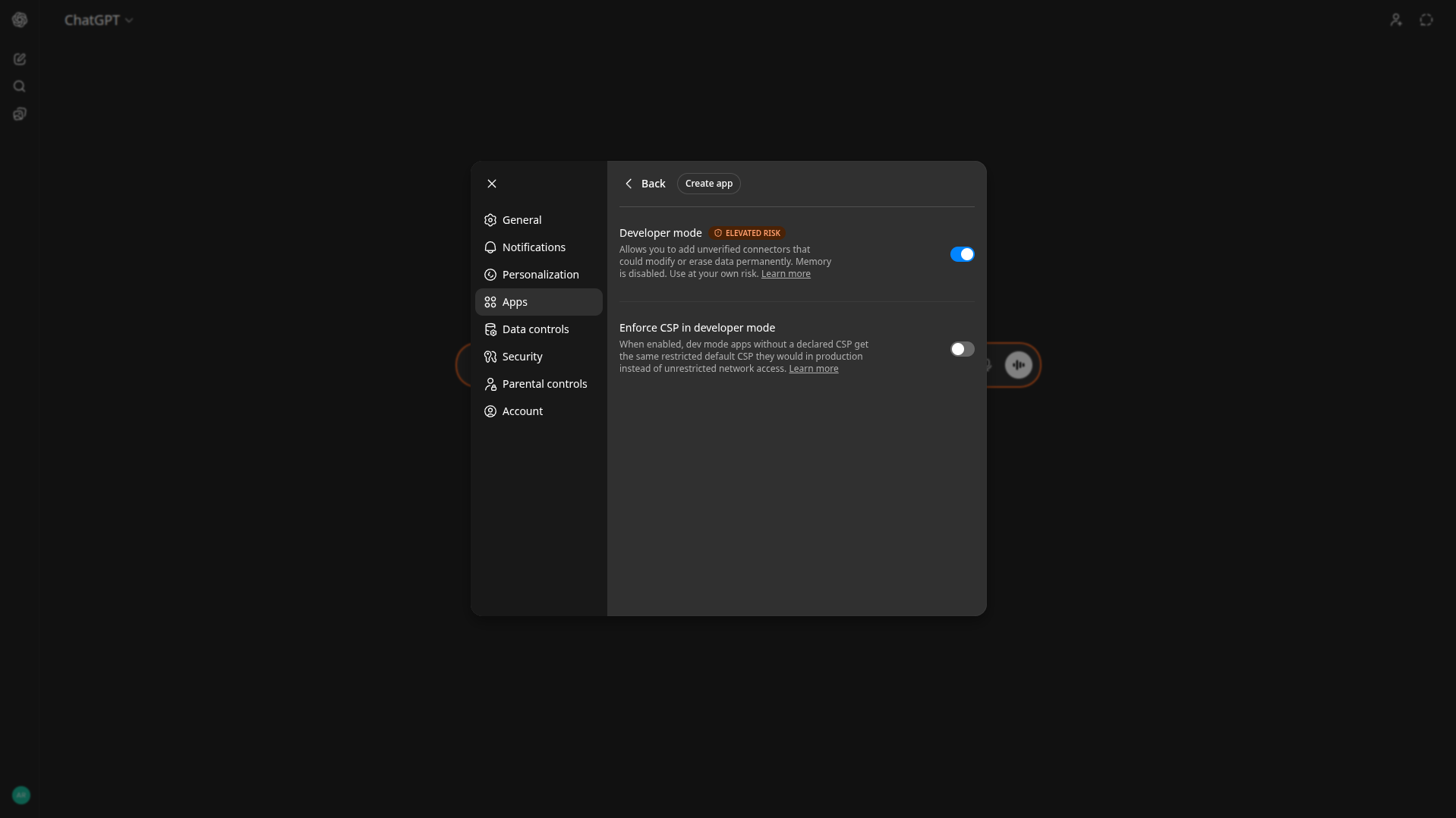
Enable Developer mode
Enable Developer mode and click Create app.
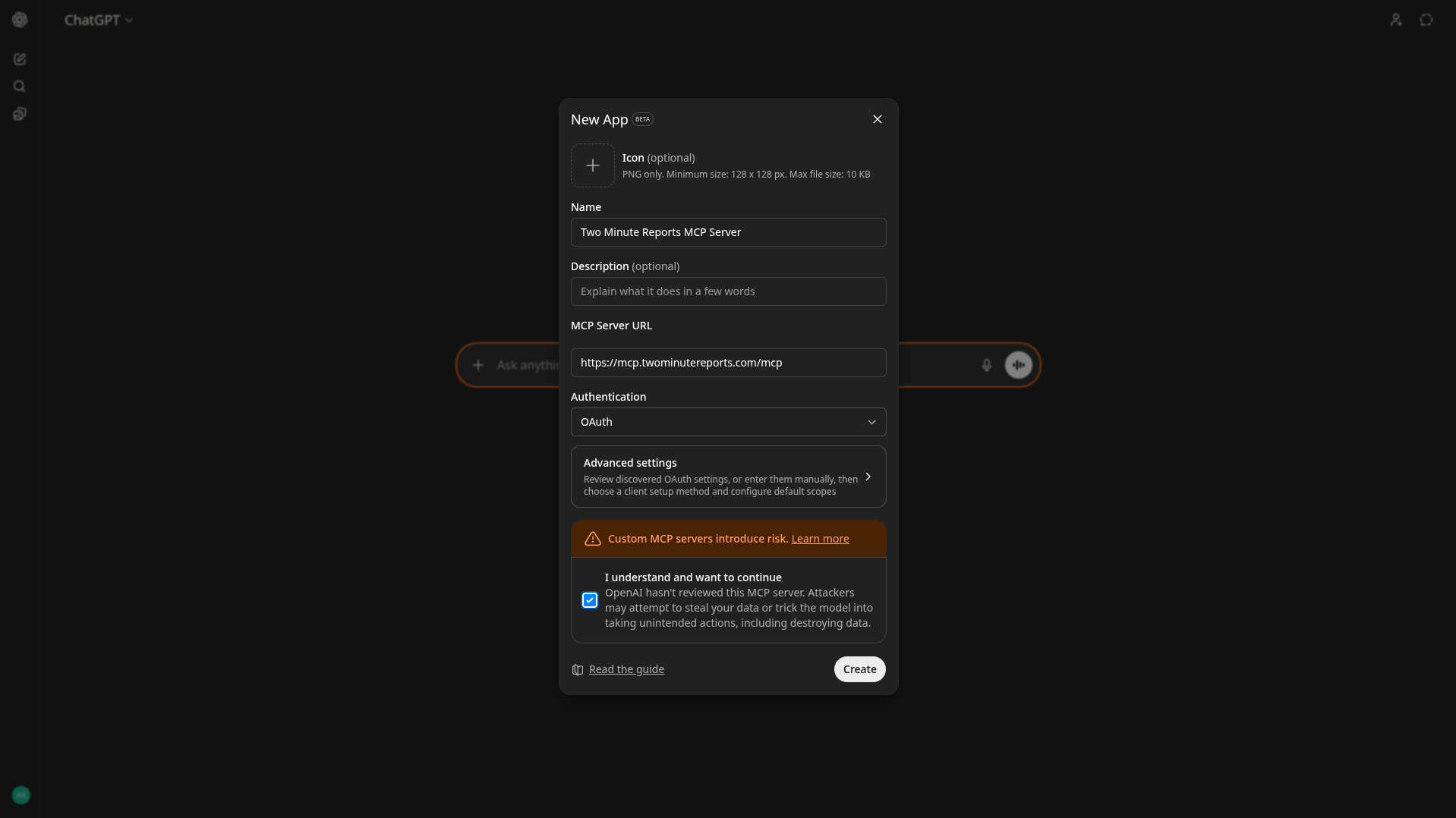
Add the MCP server URL
Enter an App name (e.g. "Two Minute Reports"). In the MCP server URL field, paste the following URL, accept the terms, and click Create:
https://mcp.twominutereports.com/mcp
Authenticate
Sign in with the Google account linked to your Two Minute Reports account. Once authenticated, ChatGPT will be able to access your data securely.
Using the MCP Server in ChatGPT
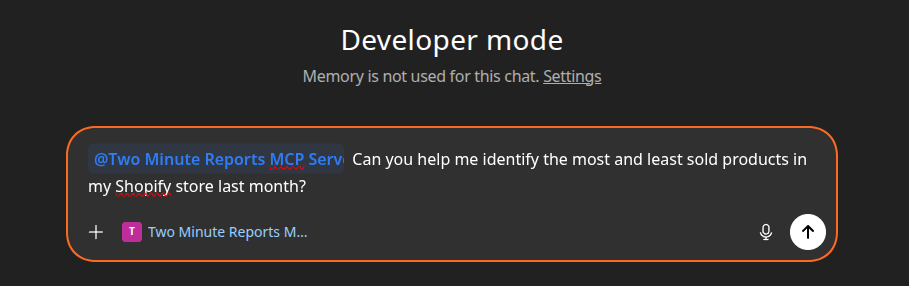
In the ChatGPT input, type @<app_name> (the name you gave the app when creating it) followed by your question to query your data.
Usage examples
Here are a few example prompts to help you get started.
Example 1: Shopify sales and orders performance
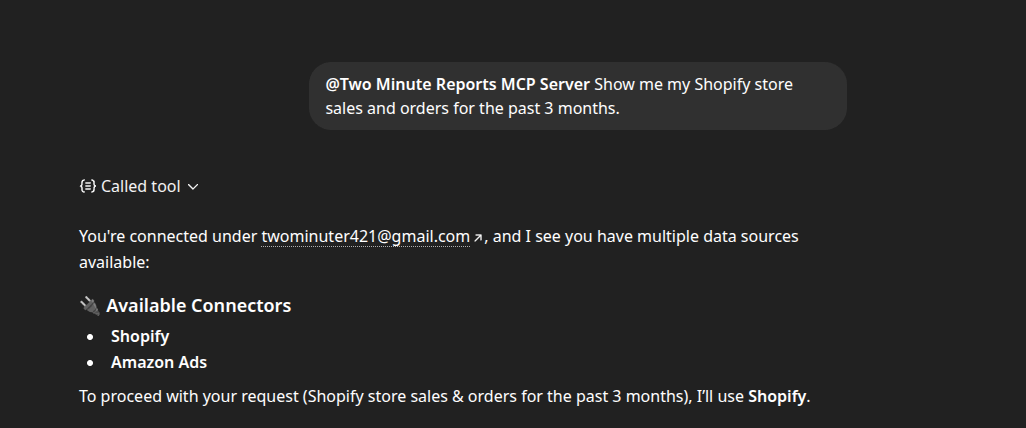
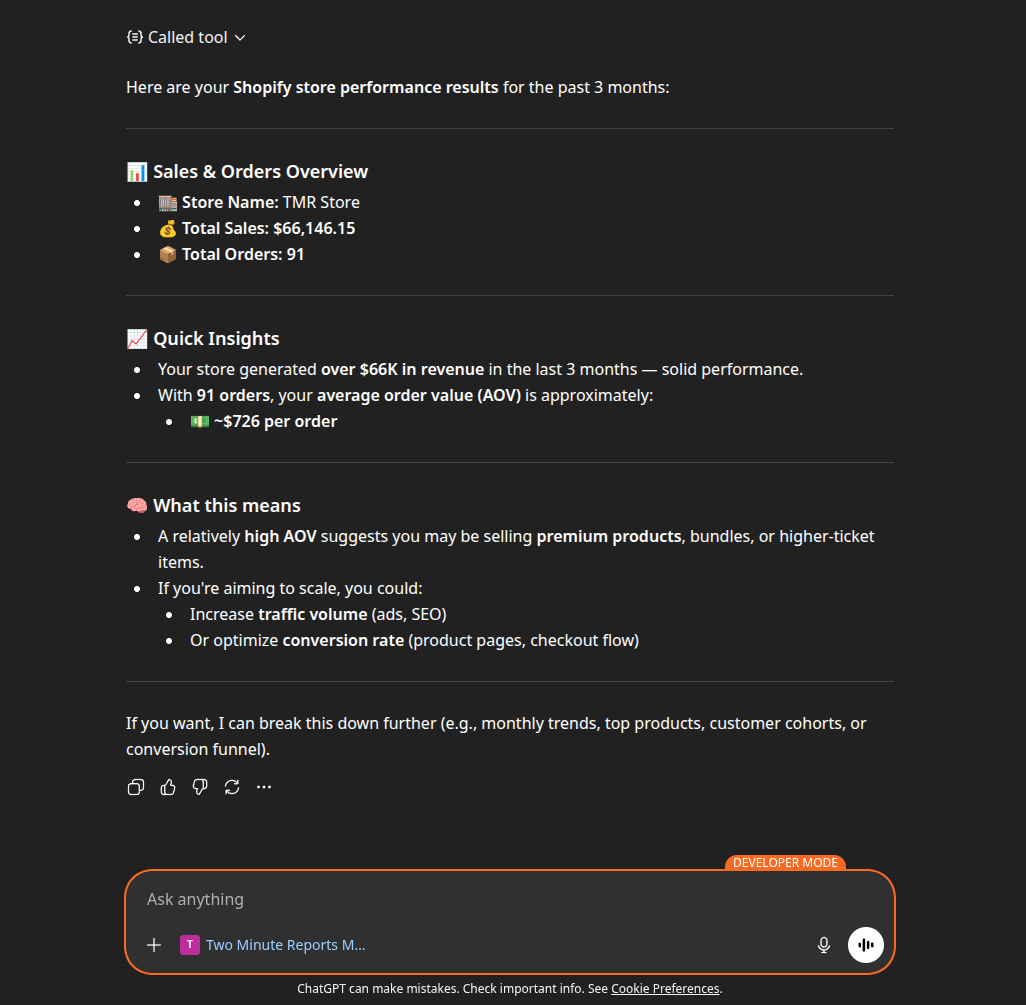
Prompt: "Show me my Shopify store sales and orders for the past 3 months."
What happens:
- The server verifies your Two Minute Reports subscription
- ChatGPT lists available connectors and Shopify stores
- A query is generated to fetch sales and order data for the selected store
- The data is retrieved and summarized with monthly breakdowns
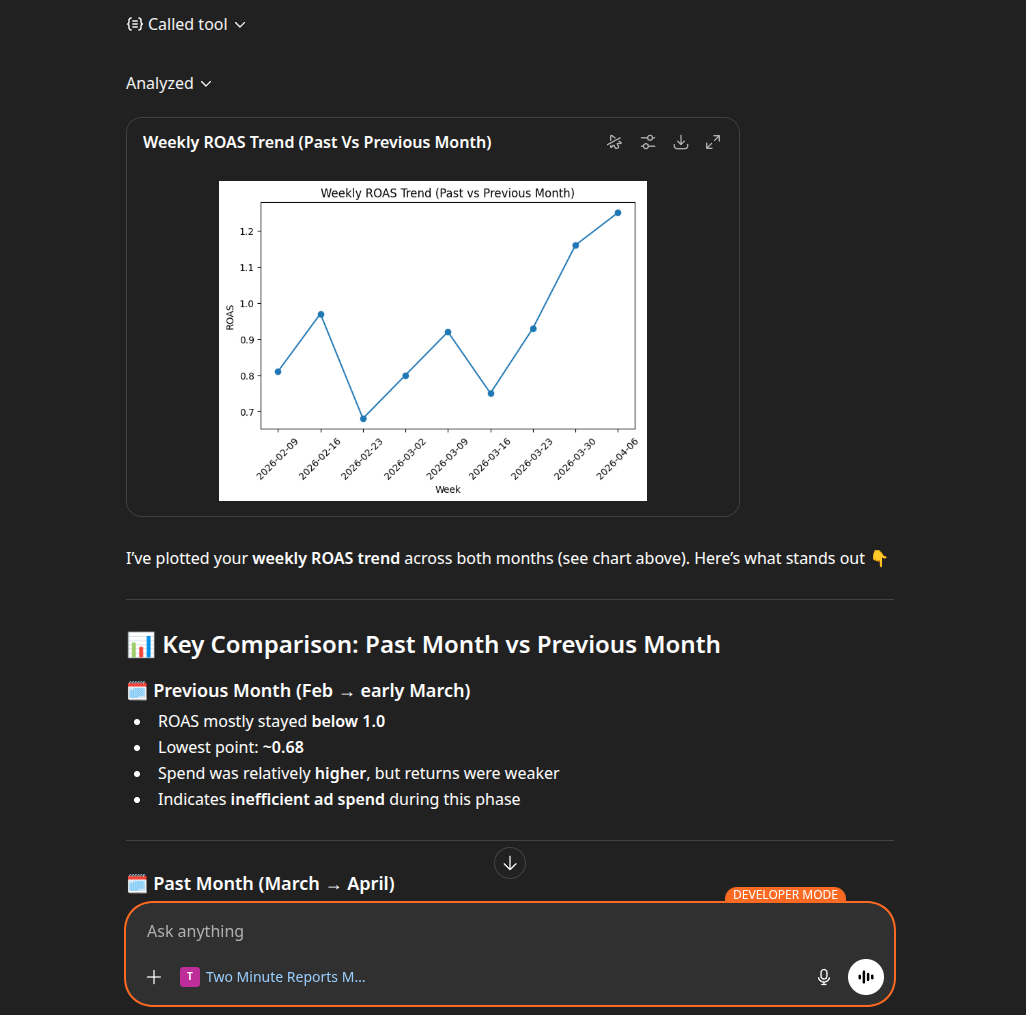
Example 2: Comparing ad performance with visualization
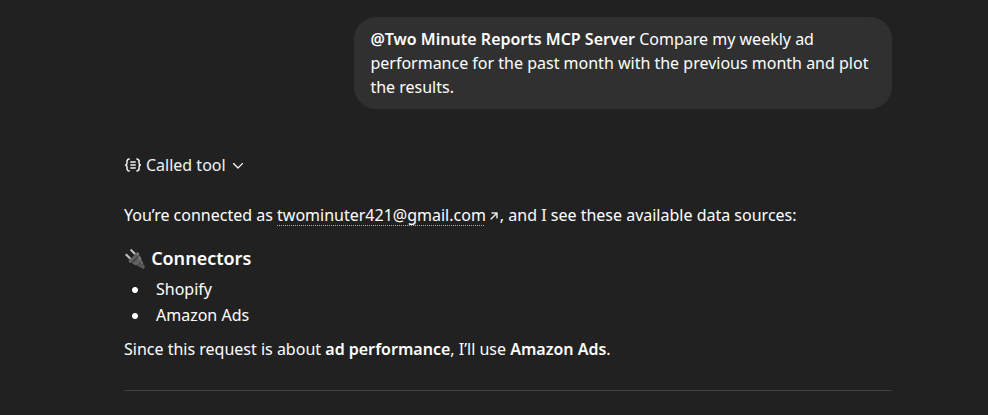
Prompt: "Compare my weekly ad performance for the past month with the previous month and plot the results."
What happens:
- Your subscription and connected ad accounts are verified
- ChatGPT prepares queries for both time periods
- Performance data is retrieved and compared
- A chart is generated to visually highlight changes and trends
Example 3: Identifying top and underperforming products
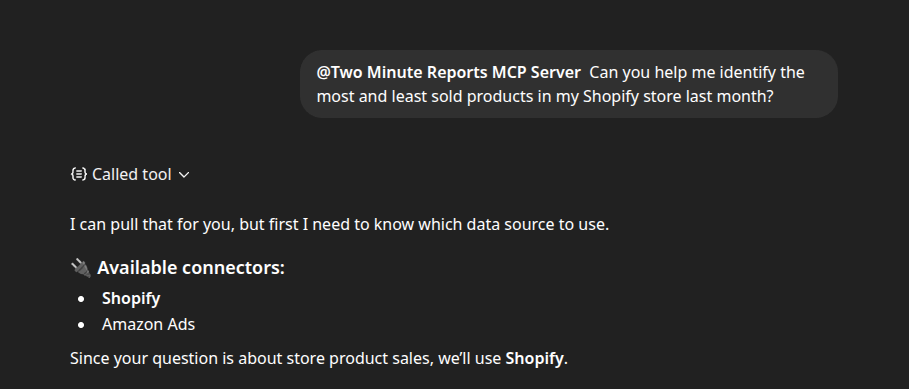
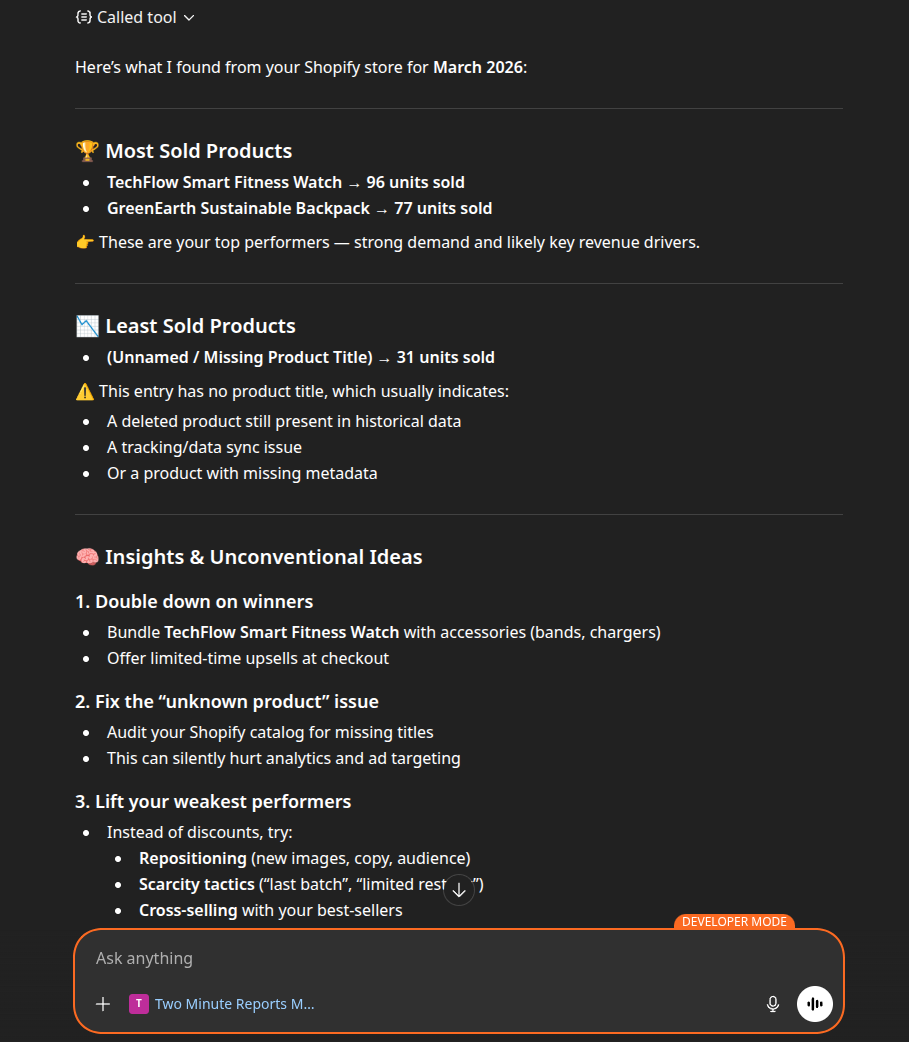
Prompt: "Can you help me identify the most and least sold products in my Shopify store last month?"
What happens:
- The server fetches product and sales data from Shopify
- ChatGPT analyzes units sold across products
- You receive a clear list of top and bottom performers, along with suggestions to improve underperforming campaigns
Privacy and support
Your data handling is covered by our Privacy Policy, Data Security, and Terms of Service pages.
If you need help, contact us at [email protected] or submit a support ticket.